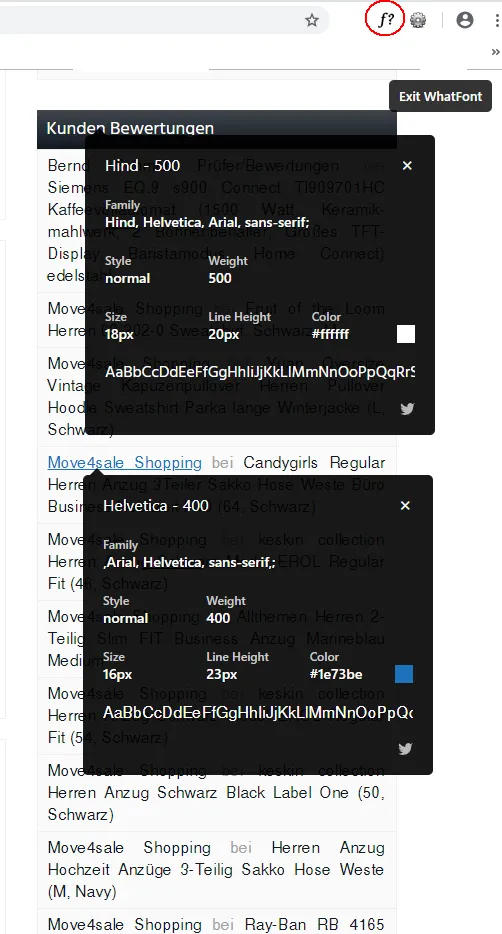
Hallo möchte bei meiner Homepage die Überschrift und Schriftart ändern aber den Code was ich hier im Blog gefunden habe funktioniert nicht. Diese Schriftart von den Widgets bei http://move4sale.de möchte ich gerne habe ich habe auch seine CSS Datei bekommen die sieht so aus:
* SIDEBAR
*/
#sidebar { padding-top: 30px; padding-bottom: 30px; }
#sidebar .widget { margin-top: 30px; }
#sidebar .widget:first-of-type { margin-top: 0; }
.widget .h1 { font-size: 1.125rem; font-weight: 500; margin: -1px -1px 0 -1px; padding: 10px; }
.widget_block { display: block; }
.widget_block ul { list-style: none; margin: 0; padding: 0; }
.widget_block ul li { position: relative; }
.widget_block ul li a { display: block; line-height: 30px; padding: 0 10px; }
.widget_block ul ul li a { padding: 0 10px 0 25px; }
.widget_block ul ul ul li a { padding: 0 10px 0 40px; }
.widget_blok .count { font-size: 0.75rem; position: absolute; right: 10px; top: 0; line-height: 30px; }
.widget_inline { display: block; }
.widget_inline ul { list-style: none; margin: 0; padding: 0; }
.widget_inline ul li { display: block; padding: 5px 10px; }
.widget_inline ul li:last-of-type { border-bottom: none; }
.widget_inline > ul:first-of-type > li:first-of-type,
.widget_block > ul:first-of-type > li:first-of-type > a:first-of-type { border-top: 0; }
.widget_rss .h1 a { color: inherit!important; }
.widget_calendar #wp-calendar { width: 100%; }
.widget_calendar #wp-calendar caption { padding: 8px 0; }
.widget_calendar #wp-calendar caption, .widget_calendar #wp-calendar th, .widget_calendar #wp-calendar td { text-align: center; }
.widget_calendar #wp-calendar tfoot > tr > td { padding: 8px 0; }
.widget_tag_cloud .tagcloud, .widget .textwidget, .widget_search .searchform { padding: 10px; }
.widget_text :last-child, .textwidget > :last-child { margin-bottom: 0; }
.widget > :last-child { margin-bottom: 0; }
.widget_terms ul.list-scroll { max-height: 170px; overflow-y: scroll; }
.widget_amazon_cart ul li:first-of-type > a { border-top: none; }
.widget_amazon_cart .product-price { font-size: 1rem; font-weight: 600; margin-top: 10px; }
.widget_amazon_cart .product-price del { font-weight: 400; font-size: 0.75em; position: relative; top: -0.8em; }
.widget_amazon_cart .remove { line-height: 1; position: absolute; right: 10px; bottom: 10px; font-size: 0.75rem; }
.widget_amazon_cart .remove a { border: none; display: inline-block; line-height: 1; padding: 0; color: #9fa2a5 !important; }
.widget_amazon_cart .remove a:hover, .widget_amazon_cart .remove a:focus { color: #c01313 !important; background: none !important; }
.widget_amazon_cart .price-sum {font-weight: 600; margin: 0; padding: 10px; }
.widget_amazon_cart .price-sum span { float: right; }
.widget_amazon_cart .at-amazon-cart { padding: 10px; }
.widget_amazon_cart .textwidget p { margin-bottom: 0; }
.widget_product_feed ul li a, .widget_amazon_cart ul li > a { font-size: 0.875rem; padding: 5px 10px; line-height: 20px; }
.widget_product_feed ul li a p, .widget_amazon_cart ul li > a p { font-weight: 600; margin: 0; }
.widget_product_feed ul li a .media-left, .widget_amazon_cart ul li a .media-left { height: 50px; width: 50px; display: inline-block; float: left; text-align: center; padding: 0; margin-right: 10px; }
.widget_product_feed ul li a .media-left img, .widget_amazon_cart ul li a .media-left img { max-height: 50px; max-width: 50px; height: auto; width: auto; }
.widget_product_feed li a:hover img, .widget_product_feed li a:focus img, .widget_amazon_cart li a:hover img, .widget_amazon_cart li a:focus img { opacity: 0.5; }
.widget_product_advice .textwidget { padding: 0; }
.widget_product_advice .thumbnail[class*="product-"] { background: none; margin: 0; border: none; }
.widget_product_advice img { max-width: 100%; height: auto; }
.widget label.screen-reader-text { font-weight: 400; font-size: 0.875rem; }
.widget_archive label.screen-reader-text, .widget_archive label + select, .widget_categories label.screen-reader-text, .widget_categories label + select { margin: 10px; }
.widget .rss-date { display: block; margin: 5px 0; font-size: 0.75rem; }
.widget .rssSummary { font-size: 0.875rem; }
.widget_block > ul > li:first-of-type > a:first-of-type,
.widget_block > div > ul > li:first-of-type > a:first-of-type,
.widget_inline > ul > li:first-of-type,
.toc_widget { margin-top: 0; }
.toc_widget ul { list-style: none; margin: 0; padding: 0; font-size: 0.875rem; }
.toc_widget > .toc_widget_list > li:first-of-type { border: none; }
.toc_widget > .toc_widget_list li a { padding: 5px 10px; display: block; }
.toc_widget > .toc_widget_list ul li a { padding-left: 15px; }
.toc_widget > .toc_widget_list ul ul li a { padding-left: 25px; }
.toc_widget > .toc_widget_list li a:hover, .toc_widget > .toc_widget_list li a:focus { text-decoration: none; }
.toc_widget > .toc_widget_list li a > .toc_number { font-size: 0.75rem; font-weight: 600; padding-right: 5px; display: inline-block; }
Was muss ich davon in meiner CCS Datei einfügen ich lade meine CSS Datei mal hoch damit ihr es euch anschauen könnt. Erstmal Danke Gruss Rudi